
Yandex Browser with Alice AI
Direct Cursus Computer Systems Trading LLCPersonalization
4.35.88K Reviews
- Version
- Varies With Device
- Installs
- 100.00M
- Age Rating
- Everyone
Screenshots






Our Review of Yandex Browser with Alice AI
 Analysis by Appyee
I judge a mobile browser less by its feature list than by whether it makes everyday browsing easier without getting in my way. Yandex Browser with Alice AI has a distinctive mix: voice-based help, page compression and familiar tools for reading and managing tabs. I find that combination appealing if you like asking for information aloud or regularly browse on a connection that struggles. It is less compelling if you want your browser to feel entirely conventional, or if you prefer not to bring an assistant into your search routine.
What the browser is trying to do
This is a free personalization app from Direct Cursus Computer Systems Trading LLC. It has an average rating of 4.4 from around 3 million ratings, and more than 100 million installs. Those figures suggest it has reached a broad audience, but they do not settle whether its approach will suit you. The practical question is whether Alice, compression and the browser’s everyday controls fit the way you use your phone.
I would think of Alice as an optional way to start a search, not as a reason to hand over every task to an AI assistant. Voice is useful when typing is awkward: while cooking, carrying something, or trying to look up a quick answer with one hand. For private or complicated queries, I would still rather type carefully and review the results myself. That small distinction keeps the assistant helpful without making it the center of every browsing session.
Where it earns a place on your phone
The strongest case is for someone who moves between quick searches and longer reading. A voice request can get a basic lookup started, while Reader Mode can make a text-heavy page calmer once you have found something worth reading. Compression has a different job: it can be useful when pages feel slow on a weak connection. These features address separate annoyances, so the browser feels most worthwhile when more than one of them matters in your routine.
Here is a realistic use case: I might check a recipe by voice while my hands are busy, open the instructions, then switch to a cleaner reading view rather than repeatedly zooming around a cluttered page. Later, on a train with an unreliable connection, page compression may help make browsing feel less frustrating. I would still save important details in a note or bookmark rather than assume a tab will be easy to find later, especially if I tend to leave many pages open.
That last habit is where tab management can matter more than it first appears. When researching a purchase, for example, I may have a retailer page, a comparison article and a product manual open at once. Grouping or setting aside tabs can help me return to the useful page instead of starting the search again. My practical tip is to close pages once they stop serving a purpose and reserve tab organization for things I genuinely expect to revisit; no tab feature can replace a simple, consistent habit.
How it compares with familiar alternatives
Compared with a browser that mainly offers a straightforward address bar and standard tabs, Yandex makes voice help and compression more prominent parts of its appeal. That can be a real advantage if you use spoken searches or often browse with limited connectivity. A more familiar browser may be the easier choice if you already rely on its synced bookmarks, passwords or established settings and do not want to rebuild those routines. I would compare the actual convenience on your own devices, not choose on feature names alone.
It also helps to separate browser choice from search choice. A browser is where you open pages and manage a session; the search service determines which results you see. If you are considering a switch mainly for Alice, try a few searches you make often and check whether the results and follow-up steps work for you. If you are considering it for reading, test the same long article in your current browser and in Reader Mode. That gives you a more useful comparison than judging either by its first screen.
Questions worth considering before switching
Will it work for someone who does not want to speak to a browser? Yes: voice assistance is only one part of the experience, and you can still browse and search by typing. Is compression always preferable? Not necessarily. It is most relevant when a connection is slow or data use matters to you; on a fast connection, you may notice little benefit, and you may prefer to see pages as they normally appear. For a page where layout or interactive elements matter, checking the standard view is sensible.
Does private browsing make every activity invisible? I would not treat Incognito mode as a blanket privacy guarantee. It can keep local history and form details from being saved in the way an ordinary session might, but private browsing should not be confused with anonymity from websites or network operators. Likewise, built-in warnings can help you avoid suspicious pages, but they are not a substitute for checking an unfamiliar site before entering sensitive details. I consider these tools useful safeguards, not permission to stop paying attention.
Is this a good fit for a child or a first-time browser user? The app’s content rating is Everyone, which makes it broadly suitable by that measure, but families should still choose settings and supervision that match the person using the device. For an adult who wants a browser that is easy to explore, the interface and common tools may be approachable. For someone who prefers a minimal app with few extra features, the additional assistant and customization options may feel unnecessary rather than helpful.
Released on June 17, 2013, Yandex Browser has had time to establish itself, and its 5.7 thousand reviews offer another sign that people actively use it. I would not treat age or popularity as proof that it is the best browser for every phone. What matters more is whether its particular mix solves problems you actually encounter. The free price makes trying it a low-commitment way to find out, though switching browsers can still involve the small effort of moving bookmarks and getting comfortable with different controls.
Getting Started with Yandex Browser
First things first, downloading and setting up the Yandex Browser with Alice AI is a breeze. It's available for both Android and iOS, so you can grab it from your favorite app store. Once you have it on your device, you'll notice the sleek and user-friendly interface. The design is minimalistic yet visually appealing, which makes navigation super easy.
The Alice AI Experience
Now, let's talk about Alice. Think of Alice as your personal digital assistant, but with a Russian flair. Integrated right into the browser, Alice is ready to help with voice commands. Whether you want to look up the latest news, find a restaurant nearby, or just check the weather, Alice has got your back.
What's really cool about Alice is her ability to understand natural language. You don't have to sound like a robot when you ask her something. Just talk to her as you would with a friend, and she’ll get the job done. Plus, her responses are pretty quick, which is great when you're in a hurry.
Browsing Features You’ll Love
So, what makes Yandex stand out in the crowded market of browsers? One word: Turbo. The Turbo mode is a game-changer, especially if you're dealing with slow internet connections. It compresses the pages, so they load faster, saving you both time and data. It’s like magic, but real!
Another neat feature is the Reader Mode. It strips away all the unnecessary clutter from the web pages, giving you a clean and focused reading experience. Perfect for those late-night article binges when you just want to focus on the content without any distractions.
Security and Privacy
In today's world, privacy is a big deal, and Yandex takes it seriously. The browser includes built-in protection against malicious websites and phishing scams. It also alerts you if you're about to visit a potentially dangerous site. Your data is encrypted, keeping your browsing experience secure and private.
For those who are extra cautious, there's an Incognito mode that doesn’t save your browsing history, cookies, or any data you enter in forms. It’s a must-have feature for those who value their privacy.
Customization and Ease of Use
If you love personalizing your apps, Yandex won’t disappoint. You can customize the look and feel of the browser with various themes. The browser is also intuitive, with a smart search bar that provides suggestions as you type, making your browsing experience smooth and efficient.
Another handy feature is the Tab Stash, which helps you manage and organize your open tabs. Trust me, it’s a lifesaver when you have a dozen tabs open and need to find that one article you were reading earlier.
Final Thoughts
In conclusion, the Yandex Browser with Alice AI offers a refreshing take on web browsing. With its fast loading times, smart assistant, and emphasis on security, it stands out from the crowd. Whether you're a casual browser or someone who spends hours online, Yandex has something to offer.
So, if you're on the hunt for a new browser, why not give Yandex a shot? You might just find it becomes your new favorite. Happy browsing!
Privacy and Permissions
See what permissions an app requests and how it handles your data.
- Identity
- find accounts on the device, add or remove accounts
- Calendar
- read calendar events plus confidential information, add or modify calendar events and send email to guests without owners' knowledge
- Contacts
- find accounts on the device, read your contacts, modify your contacts
- Location
- approximate location (network-based), precise location (GPS and network-based)
- Phone
- directly call phone numbers, read phone status and identity
- Photos/Media/Files
- read the contents of your USB storage, modify or delete the contents of your USB storage
- Storage
- read the contents of your USB storage, modify or delete the contents of your USB storage
- Camera
- take pictures and videos
- Microphone
- record audio
- Wi-Fi connection information
- view Wi-Fi connections
- Device ID & call information
- read phone status and identity
- Other
- view network connections, create accounts and set passwords, pair with Bluetooth devices, connect and disconnect from Wi-Fi, control flashlight, full network access, change your audio settings, control Near Field Communication, read sync settings, run at startup, set wallpaper, draw over other apps, use accounts on the device, control vibration, prevent device from sleeping, modify system settings, toggle sync on and off, set an alarm, install shortcuts
Verdict
Strengths of Yandex Browser with Alice AI
- Fast loading speeds enhance browsing experience.
- Built-in ad blocker reduces distractions.
- Alice AI offers helpful voice assistance.
- Turbo mode saves data on slow connections.
- Easy-to-use interface with customizable options.
Limitations of Yandex Browser with Alice AI
- Limited extension support compared to competitors.
- Occasional crashes reported on older devices.
- Alice AI may struggle with complex queries.
- Privacy concerns due to data collection policies.
- Limited themes for personalization.
Other Releases by Direct Cursus Computer Systems Trading LLC
View All
Yandex Maps and Navigator
Maps & Navigation4.0

Дом с Алисой
House & Home4.0

Yandex.Realty
House & Home4.5

Яндекс Афиша — билеты
Events4.7
Similar Picks in This Category
View All
Microsoft SwiftKey AI Keyboard
SwiftKey4.3

Wallpapers
Google LLC4.1

Zedge™ Wallpapers & Ringtones
Zedge4.7

Ringtone Maker:create ringtone
Big Bang Inc.4.7

Fonts Keyboard
Fonts Keyboard3.9

Neon Love Theme
Delicate theme for Android App4.6
Frequently Asked Questions
What is Yandex Browser with Alice AI?
Yandex Browser with Alice AI is a web browser developed by Yandex, designed for both Android and iOS platforms. It integrates Alice, an AI-powered voice assistant, to enhance user experience by providing voice-activated search capabilities and personalized recommendations. The browser aims to deliver a fast, secure, and intuitive browsing experience.
How does Alice AI enhance the browsing experience?
Alice AI enhances the browsing experience by offering hands-free navigation and search functionality. Users can interact with Alice using voice commands to perform searches, open websites, and receive personalized content suggestions. This feature is particularly useful for multitasking and accessing information quickly without needing to type.
Is Yandex Browser with Alice AI secure?
Yes, Yandex Browser with Alice AI emphasizes user security and privacy. It includes features like DNS spoofing protection and encrypted connection warnings. The browser also provides a built-in security system called Protect, which safeguards users from malicious websites and alerts them about potential security threats while browsing.
Can I customize the Yandex Browser interface?
Yandex Browser offers several customization options, allowing users to personalize their browsing experience. You can change the browser theme, adjust the layout of tabs, and manage bookmarks easily. The browser’s interface is designed to be user-friendly, with an intuitive design that can be tailored to individual preferences.
Is Yandex Browser compatible with other devices and platforms?
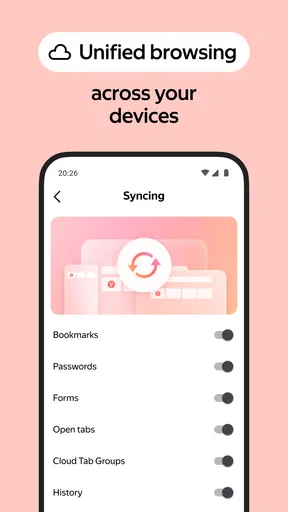
Yandex Browser is compatible with both Android and iOS devices, ensuring a seamless browsing experience across different platforms. It also supports synchronization of bookmarks, history, and settings across devices, allowing users to easily switch between their smartphone and tablet without losing their data or preferences.
